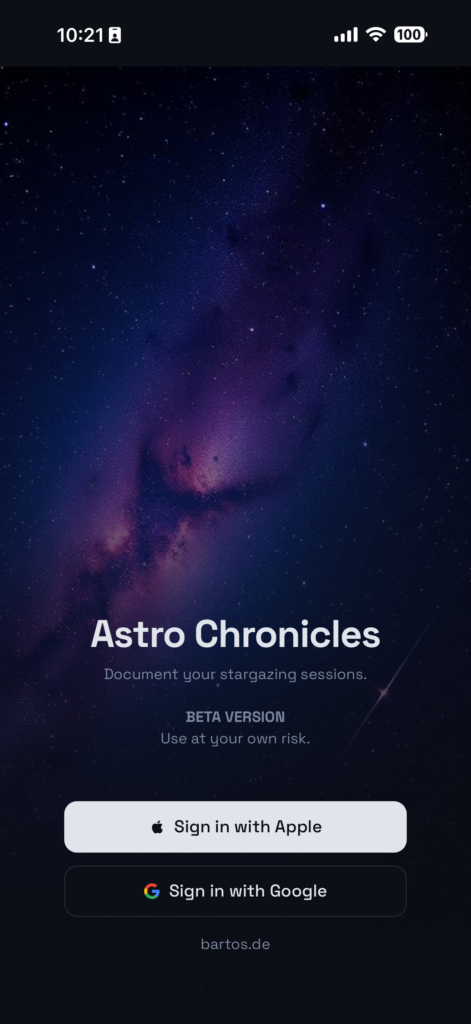
Astro Chronicles is an experimental side project I built to solve a problem I kept running into: keeping track of my astrophotography sessions. After a few months of shooting, I had hundreds of photos scattered across folders with no real way to remember when I shot what, under which conditions, or with which gear. So I built something for it.
Overview
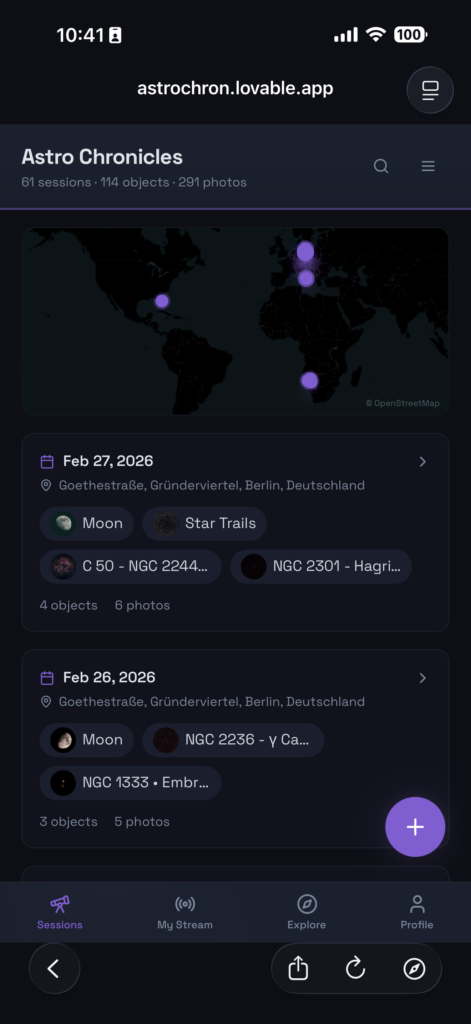
At its core, Astro Chronicles is a session-based photo organizer designed specifically for astrophotography. You upload your photos, and the app reads the EXIF metadata — date, time, GPS coordinates, camera model, exposure settings, focal length, ISO — and automatically groups them into photo sessions by date. No manual sorting required. Each session contains one or multiple objects, e.g. planets, the moon, galaxies, nebulas, or other objects.
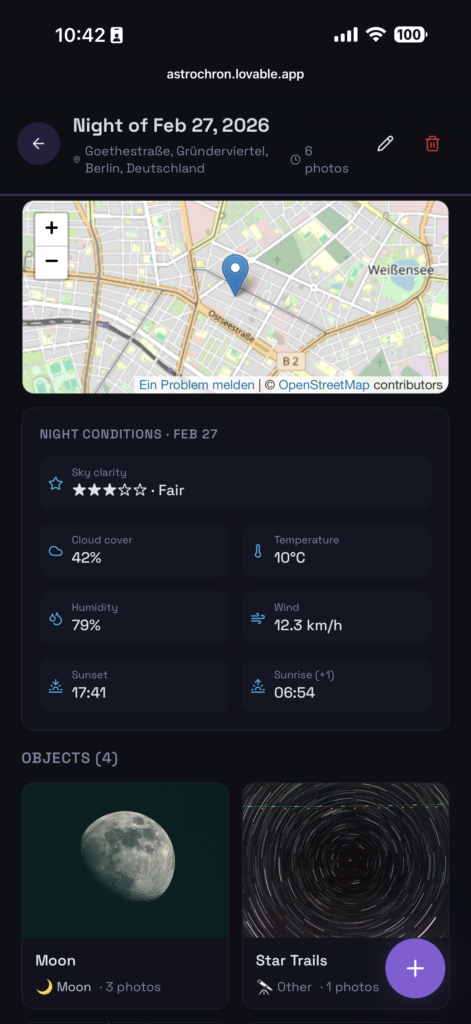
Photo Session Details
Each session acts as an album for a single night (or multi-night run). Within a session, photos are organized by celestial object — so your M31 shots stay separate from your Jupiter captures, even if they were taken the same evening.
Features I’m Most Happy With
Interactive Map. Sessions with GPS data are plotted on a map, so you can see all your observation sites at a glance. Clicking a pin takes you straight to that session.
Smart Import with Duplicate Detection. The app hashes every uploaded photo and checks against what’s already stored. If you accidentally re-upload the same batch, it quietly skips the duplicates and only imports what’s new. It also handles location conflicts — if you upload photos from a different site on a date that already has a session, it asks which location to keep.
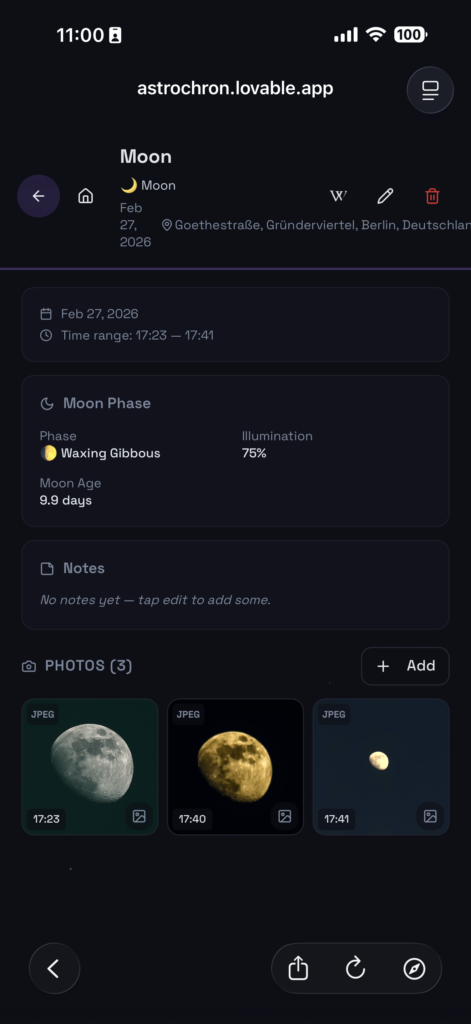
Automatic Metadata Lookups. Once you tag an object with a type (galaxy, nebula, planet, etc.) and name, the app fetches its Wikipedia summary automatically. It also looks up the moon phase for the session date and location, plus weather conditions via a weather API. All of this gets attached to the session without any manual entry.
Object Cataloging. Each object entry stores its type, common name, and optional catalog data like right ascension, declination, magnitude, and constellation. I wanted something that felt closer to an observation log than a simple photo gallery.
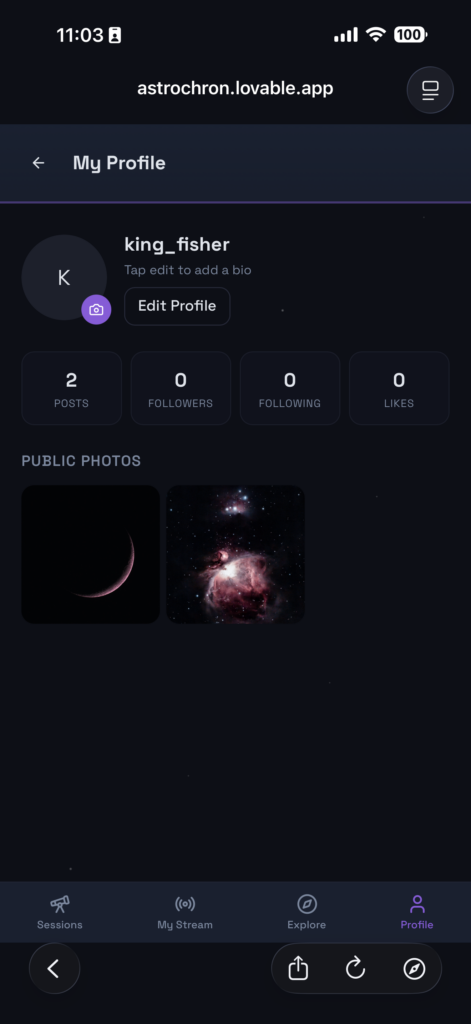
Community Stream. There’s a sharing layer where you can publish your best shots to a public feed. Other users can like and comment. It’s intentionally simple — no algorithms, no ranking, just a chronological stream of what people are capturing.
Profile Page. Users have their profile page to manage shared information and posted photos, including interactions (comment, number of Likes, etc,).
Statistics Dashboard. A stats page that aggregates numbers across the platform — total sessions, objects cataloged, photos uploaded, active users. Mostly built it because I was curious, but it turned out to be a nice motivator.
Technical Notes
The frontend is React with TypeScript, styled with Tailwind CSS and shadcn/ui components. The backend runs on Lovable Cloud, handling authentication, database, file storage, and serverless functions. Photo processing (EXIF extraction, hash computation) happens in backend functions triggered on upload.
The app is designed mobile-first since I usually upload photos from my phone right after a session. There’s a bottom navigation bar, swipe gestures, and the layout adapts to smaller screens.
What’s Experimental About It
The whole app is AI-generated, and still very much a work in progress. The object identification is entirely manual — there’s no plate-solving or automated star detection. The weather and moon phase lookups depend on having accurate GPS and date metadata in your photos. The community features are basic. There’s no image stacking, no processing pipeline, no integration with tools like PixInsight or Siril.
I built it primarily for my own use and as a learning exercise. If you’re into astrophotography and want a simple way to log your sessions, it might be useful. If you’re looking for a full-featured image processing suite, this is not that.
Try It Out
The app is live at astro-chronicles.space. Sign up, upload a few photos, and see what it pulls from your metadata. Feedback is welcome.